Search Results for: time machine

Malware icon on computer screen

The Top Mac Malware Types and Adware Tricks of 2020

Today, I am going to write about trends in Mac threats. But first, I want to provide some data. Mac malware detections are gaining on Windows. In 2019, Macs were infected almost two times more than Windows. Mac malware detections...


M1 Video Benchmark

VIDEO TEST: M1 Air Beats 16-inch MacBook Pro

Over two weeks of hands-on experience with the M1-powered MacBook Air has taught me one important lesson: never judge the capabilities of a computer by its size. What prompted writing this article? A Universal version of the Blackmagic Disk Speed...

M1 MacBook Air: Benchmarks and Hands-On Review

Apple's MacBook Air has always taken the back seat to the much more powerful MacBook Pro, but a look at the newest MBA powered by Apple's M1 System-on-Chip shows that the thin and light notebook can now claim the title of "speed demon" as well.

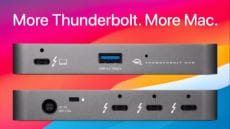
More Thunderbolt. More Mac.

OWC Announces Mac Compatibility for New Thunderbolt Hub

Previously certified for Thunderbolt 4 PCs, the OWC Thunderbolt Hub is now available for new M1 Macs and all Thunderbolt 3-equipped Macs once upgraded to Apple's new macOS 11 Big Sur. The OWC Thunderbolt Hub will give both Mac and PC users the additional Thunderbolt ports they’ve always wanted.

2013 MacBook Pro on Big Sur wallpaper with black screen

macOS Big Sur Reportedly Causing Problems for Certain MacBook Pros

I usually wait a few months before upgrading to the latest and greatest macOS, or at the very least, the first major revision (macOS 11.1 in this case). But this time around, I decided to bite the bullet and load up Big Sur on my MacBook Pro. The result? So far, so good. But that hasn’t been the case for many.

1 54 55 56 97
Page 55 of 97