When you have used Mac operating systems for three decades, as I have, there’s a tendency to accept things as they are without too much pushback. One such aspect is app installation from a DMG file.
The conventional approach in macOS requires multiple steps:
1) Open the DMG file.
2) Drag the application icon into the Application folder.
3) Eject the DMG disk image.
4) Move the DMG file into the Trash.
You must follow these steps for nearly every Mac app packaged as a DMG. And for almost three decades using macOS, I have accepted this ritual as “the way it is”, without question.
Here’s how it should work. Click a DMG file and the app inside it automatically installs itself in the Applications folder. That’s it.
And that’s all you’ll need to do if you install EasyDMG.
When installed and configured, EasyDMG handles all DMG app installations, replacing Apple’s own DiskImageMounter.
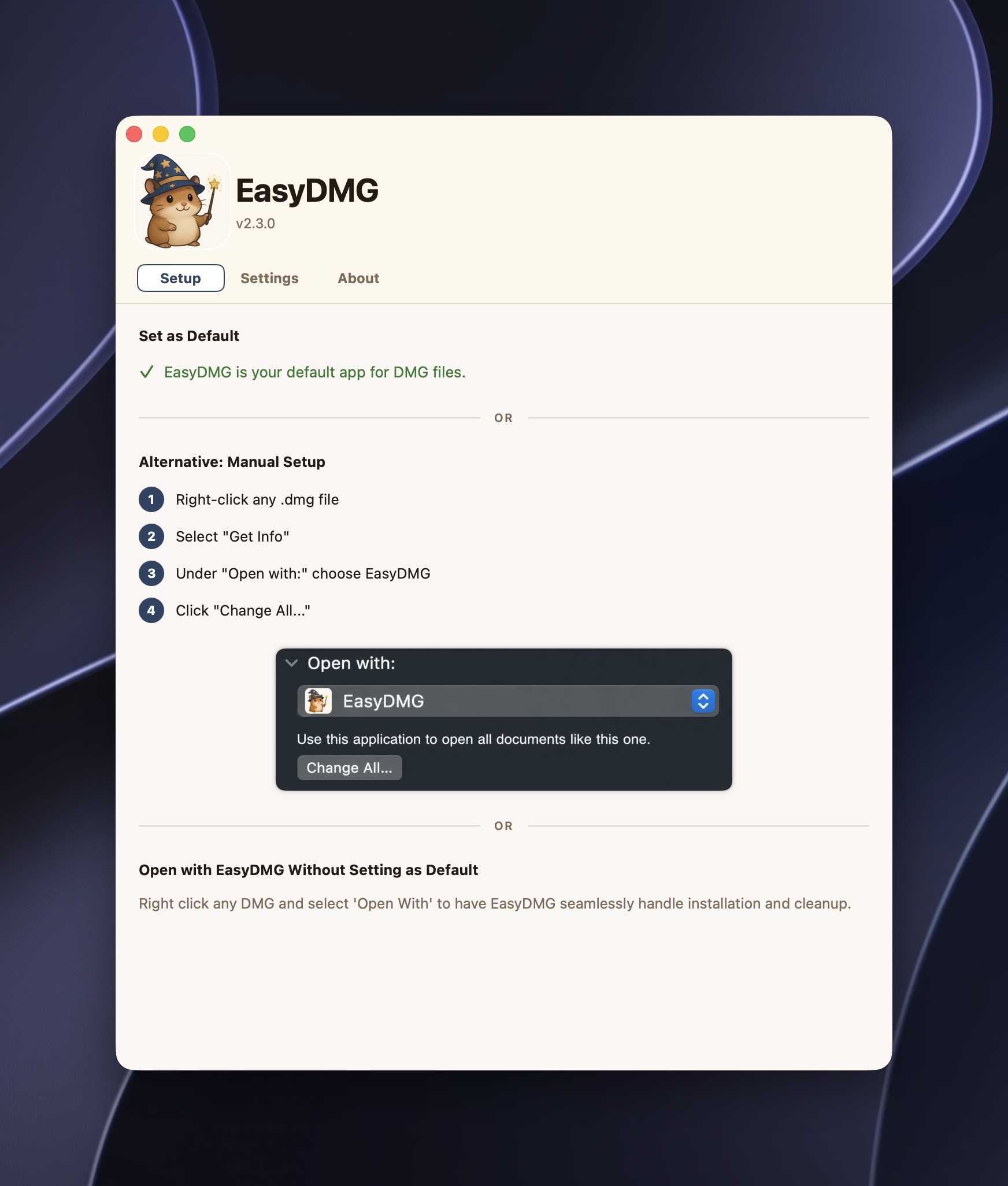
True to its name, EasyDMG is incredibly simple to use. Once you set it as your default DMG handler, it quietly takes care of the rest. If you like to fine-tune your workflow, EasyDMG includes a few useful options that make app installation even more convenient. For example, I have it automatically move the DMG file to the Trash after an app is installed. You can also choose to have the newly installed app revealed in Finder or launched automatically when the installation is complete.
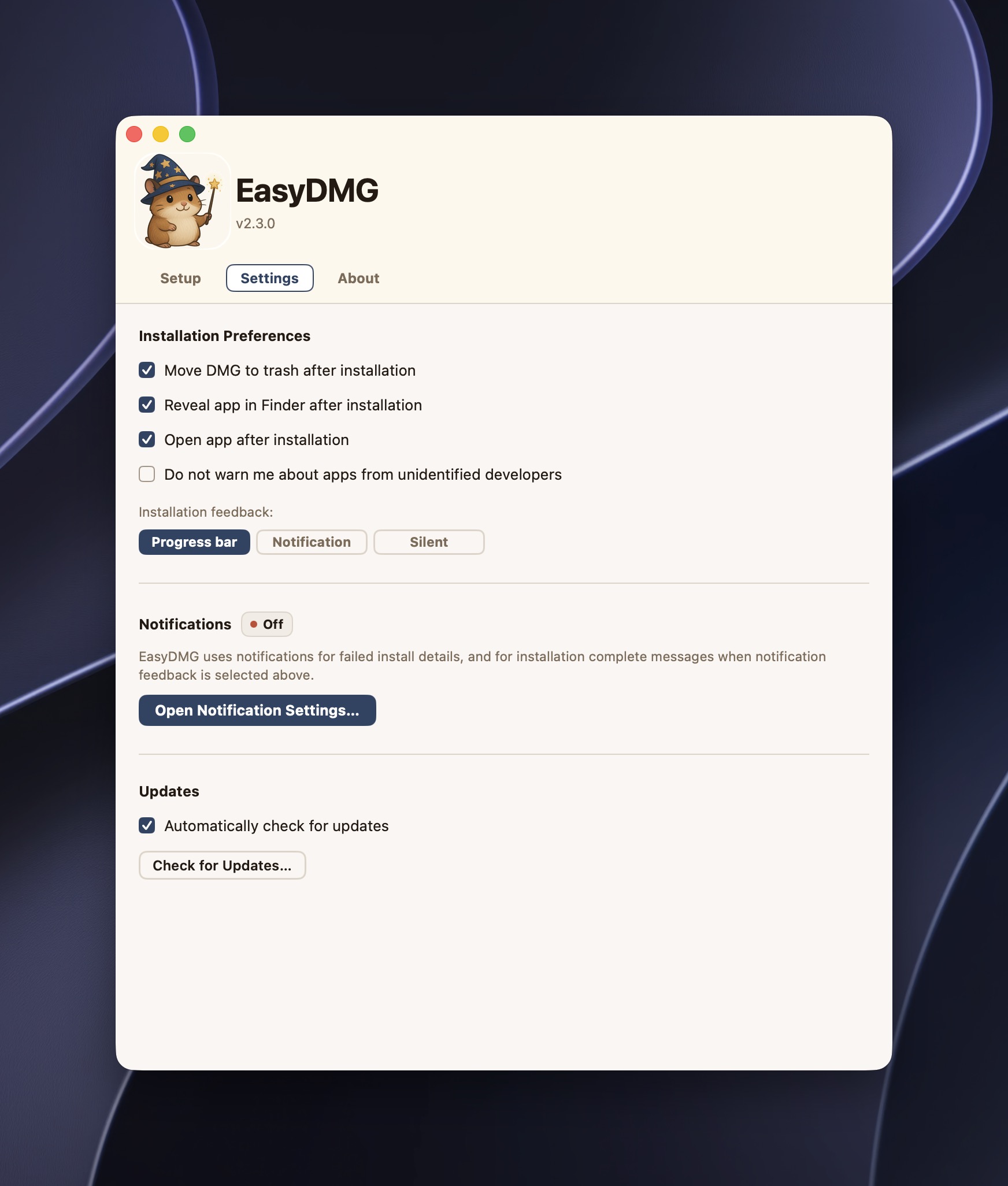
What about security? EasyDMG is notarized by Apple and performs the same Gatekeeper checks Apple performs. (Unsigned apps can be disabled within EasyDMG, if need be.)
Using EasyDMG over the past few weeks has been a revelation. Each and every DMG I tried worked beautifully with no issues whatsoever. EasyDMG is such a simple and useful app that I’m left scratching my head as to why Apple’s own DiskImageMounter doesn’t already work this way. Suffice it to say, but I’ve already installed it on all three of my Macs.
EasyDMG is a free app, written natively in Swift, and works on any Mac that runs macOS 13 or later. It’s fast and privacy focused. It does not contribute to Dock or menu bar clutter, which is a welcome change compared to the other apps I’ve installed in the past. Apps like EasyDMG rewrite my perceptions on what I’ve come to expect while using macOS. It addresses a common pain point in a simple and elegant way. And isn’t that why we use Macs in the first place?