As a digital illustrator, I make extensive use of reference imagery as I work. Whether drawing a likeness for a personal portrait, or capturing the nuances of a specific sports car model, having references visible while I work is essential.
In the digital space, working with references has been tedious. If a reference is open within Preview, for example, I have to spend time moving it around to keep it in view while I work in Photoshop.
Conversely, if the reference image is placed into my active Photoshop document, the photo must be scaled down to provide me with more room to draw.
Prior to using Refbox, working with references in a digital environment came with serious compromises.
Refbox is a macOS focused app that does something really simple. It puts my reference image in a floating window so that I can view it while working on my illustration. If that’s all that Refbox did, I would be satisfied. But Refbox does so much more, making it positively indispensable for my every day use.
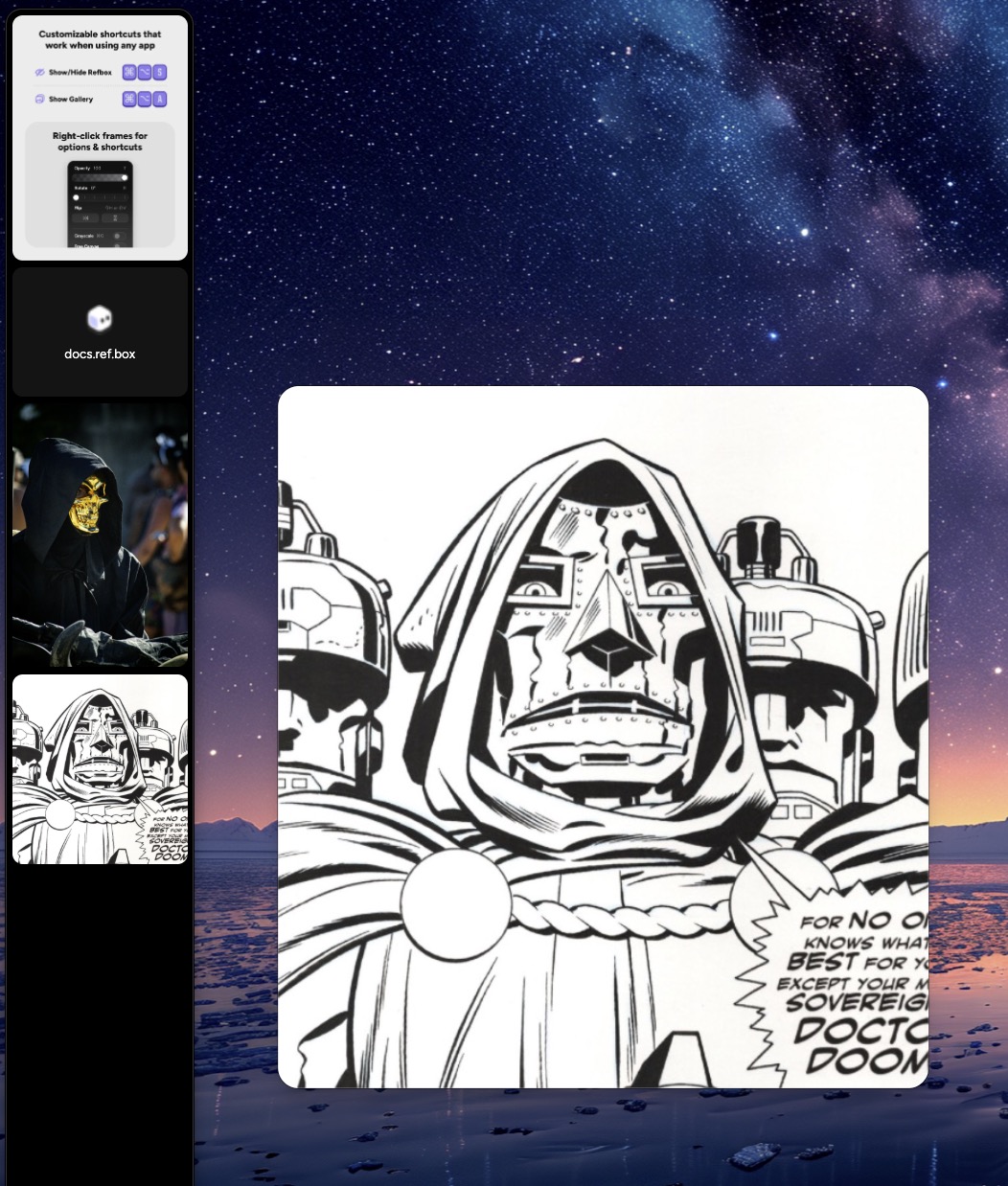
When Refbox is installed, you are provided with options on where it will live. I have Refbox set to appear along the left vertical side of my tablet monitor. Refbox can be hidden or visible using a custom keyboard shortcut (Option-Command-S).
Adding an image is easy: just drag and drop an image onto Refbox. The size of the Refbox strip can be adjusted as needed. Images inside Refbox can be reordered as well. Refbox also groks website addresses: pasting a URL into Redbox will capture a full-site screenshot.
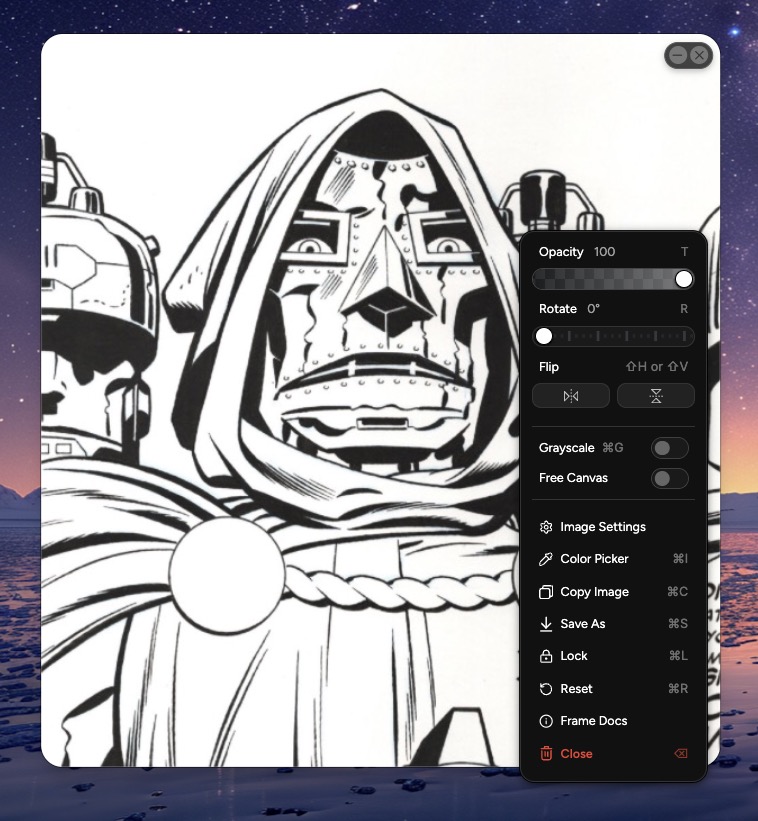
When an image is visible in RefBox, you can pop it onto its own floating window by clicking on it. Each floating window includes the ability to minimize it in place, or close it completely. Images can be panned, zoomed, rotated, flipped, and even converted to grayscale.
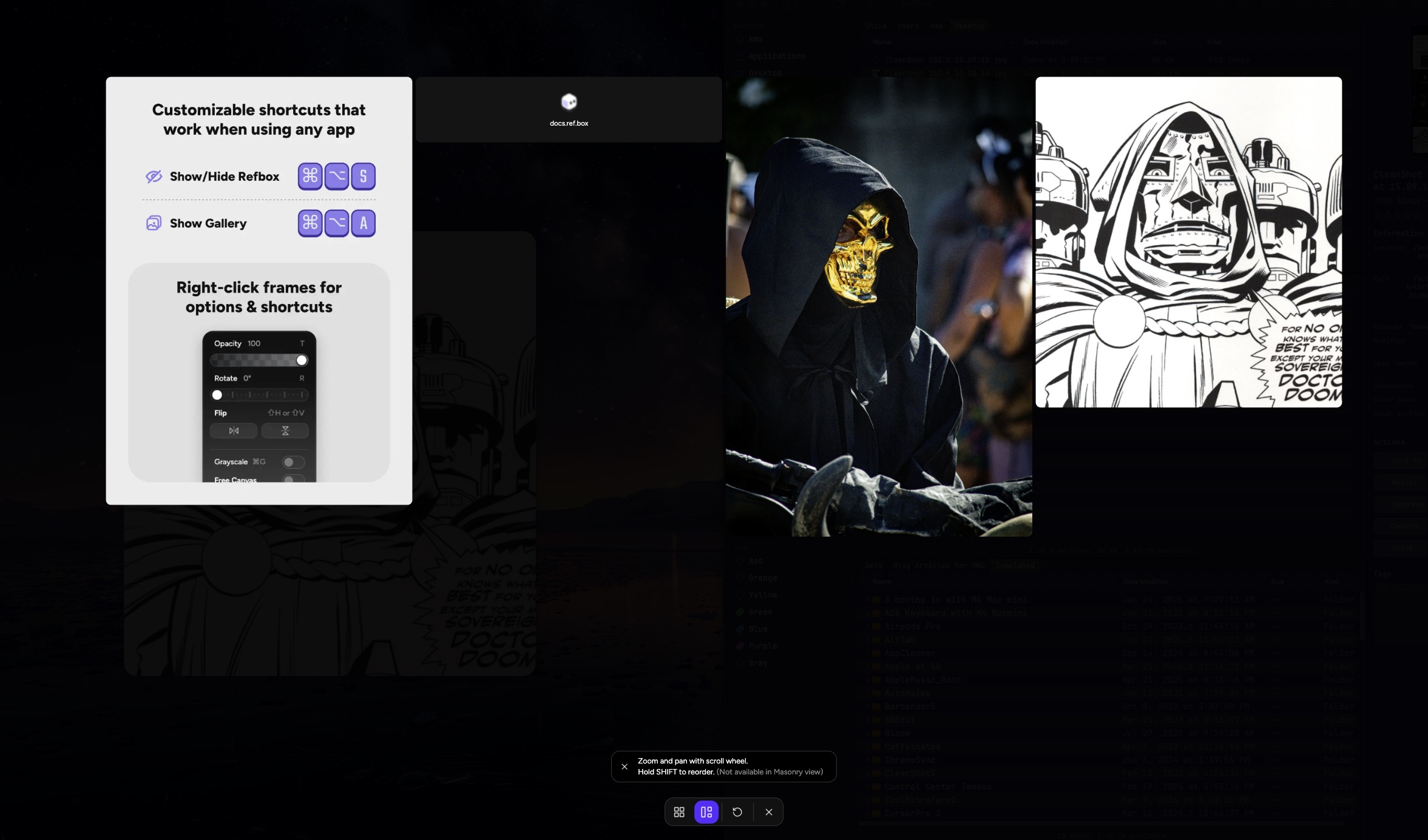
Refbox supports a full-screen gallery view that you can pan and zoom using your mouse scroll wheel. And the gallery can be viewed as a grid or in a more efficient Masonry tile format, similar to Pinterest.
Refbox supports playing animated GIFs within a floating window. GIFs can be played frame by frame, with options to control the playback speed. This makes Refbox extremely handy for frame-by-frame movement studies. If you work in 3D, Refbox can rotate your models, toggle their material, and show a wireframe overlay. (I haven’t tested this feature, but it seems quite useful.)
My favorite Refbox features include:
- the ability to open multiple references, each housed within its own floating window.
- a gallery view, which allows me to quickly view my reference collection
- on-the-fly opacity adjustment, used to make the reference image semi-transparent
- Rotate and Flip
- quick color sampling, via Refbox eyedropper tool
- the ability to minimize floating windows in place
Refbox can be handy for notes as well, supporting Markdown, styling and hyperlinks. I use this feature to keep client briefs visible while I work.
While the Refbox developer is targeting creatives as their primary audience, I think the app has a lot to offer for every day users. In addition to images, Refbox works with videos, 3D models, audio, notes, links and even PDFs. In short, if you’re working with media content, it can float above all of your other windows, making it easy to view it while working inside another application. Refbox eliminates the need to rearrange windows while you work, which makes it easier for me to stay in my flow state.
Refbox retails for $29 and comes with a 7-day free trial. If you’re a digital artist working on a Mac, it’s a no-brainer purchase. If you find yourself needing fast, floating access to images, text, movies, PDFs and more, Refbox deserves your consideration.